
How We Fixed HostHorizon’s Infinite WooCommerce Checkout Loading
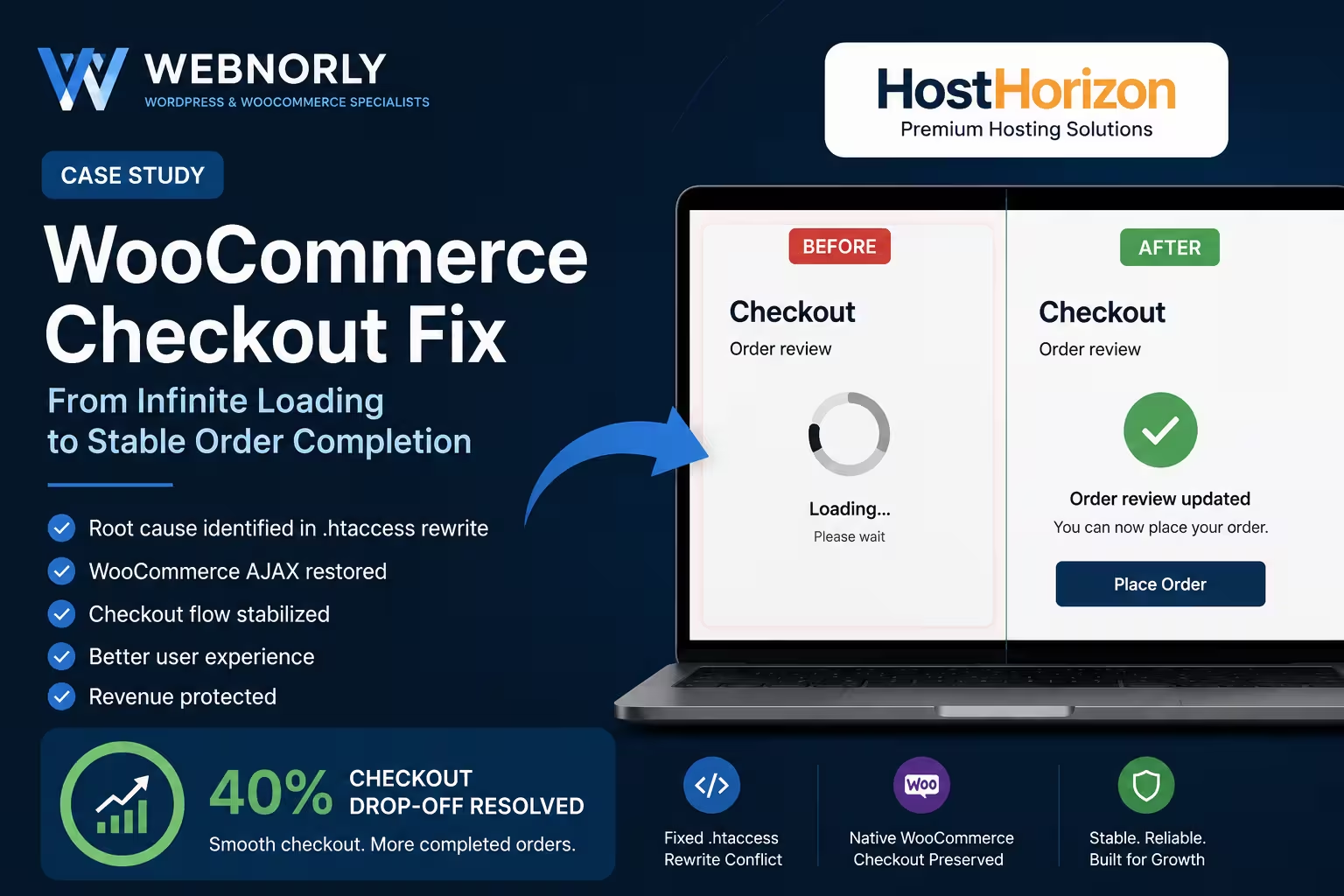
HostHorizon, a Dutch hosting provider, came to us when every customer hit the same wall: WooCommerce checkout would load forever, and no order ever completed. The cause was not in WooCommerce. It was in a single line of .htaccess from years earlier, intercepting AJAX requests and returning HTML where JSON belonged.
This case study walks through the investigation, the root cause, and why restoring native WordPress routing was the correct fix rather than rebuilding the checkout from scratch.
The client
HostHorizon is a Dutch hosting provider running WordPress and WooCommerce. Custom-designed homepage, standard WooCommerce for cart and checkout. The business takes hosting orders directly through the store, so any checkout downtime is direct revenue loss.
The problem: every checkout hung forever
The checkout page became stuck in an endless loading state during the order review step. Customers could add products to cart, proceed to checkout, and fill in their billing information. But the final order review never completed. The loading spinner kept turning. The Place Order button became unreliable. No order made it through.
Symptoms reported by the client:
- Infinite loading spinner at checkout
- Order review section never updated after billing entry
- Place Order button intermittently unresponsive
- Checkout AJAX requests returning incorrect responses
- Cart worked normally; the break happened between cart and payment
What made this particularly hard to diagnose: the problem persisted even after disabling the payment gateway, deactivating all non-essential plugins, and switching to a default WordPress theme. That ruled out the usual suspects. The issue was not in the WooCommerce plugin stack, the theme, or any third-party integration.
The investigation
We worked through the usual diagnostic layers in order:
- Browser console errors — JavaScript was reporting unexpected responses from WooCommerce AJAX endpoints.
- WooCommerce AJAX request inspection — specifically the
update_order_reviewcall that fires when a customer fills in billing details. - Server response analysis — what WooCommerce was actually receiving back from the server.
- Theme structure — confirmed no template overrides were breaking checkout markup.
- Rewrite rules — the
.htaccessfile and any custom routing logic. - Custom session handling — any PHP session logic that might interfere with WooCommerce sessions.
Steps 1 through 4 came back clean enough to keep eliminating. Step 5 is where the cause emerged.
The root cause: a homepage rewrite hijacking AJAX
The site had a custom .htaccess rule from years earlier that forced the homepage to be served as a static HTML file:
# Original problematic rewrite
RewriteRule ^$ /home.html [L]
The intent was reasonable when first added: serve a pre-rendered homepage to skip WordPress for the most-visited URL, shaving load time. The problem was what it did to WooCommerce.
WooCommerce’s AJAX calls during checkout use a URL pattern like this:
/?wc-ajax=update_order_review
The request path still starts with /. The rewrite rule did not distinguish between a normal homepage visit and a WooCommerce AJAX call. Both matched the ^$ pattern at the Apache level. So instead of WordPress handling the AJAX request, the server intercepted it and served back home.html.
WooCommerce expected a JSON response from this endpoint:
{
  "result": "success",
  "messages": "...",
  "fragments": { ... }
}
What it received was the static homepage:
<!DOCTYPE html>
<html>
<head>
  <title>Homepage</title>
...
WooCommerce’s checkout JavaScript tries to parse that response as JSON, fails silently, and just keeps waiting for valid data that never comes. Hence the infinite spinner. The checkout was not broken; it was being starved of the responses it needed by the server itself.
A secondary issue: unsafe session access
While inspecting the request pipeline, we found a related issue in some custom PHP that touched $_SESSION:
// Original code — throws a PHP warning when key is missing
$id = $_SESSION['redirect_cache'];
The session key was being read without checking whether it existed. PHP would emit a warning each time the key was missing, and the warning text was being written into the response body during WooCommerce AJAX calls. Even after the routing issue was fixed, this would have polluted JSON responses with stray HTML, causing intermittent JavaScript parse errors at checkout.
The fix
Three changes restored checkout to working order. We made them deliberately small and reversible. The goal was to fix the issue, not redesign the site.
1. Removed the homepage rewrite
The .htaccess rule forcing home.html was removed. Normal WordPress routing took over the homepage again. Page-load impact: negligible, because the homepage was already cacheable and the WordPress hosting was capable of serving it fast without the static-file shortcut.
With the rewrite gone, WooCommerce AJAX requests to /?wc-ajax=update_order_review reached WordPress as intended, were handled by WooCommerce’s AJAX handlers, and returned proper JSON.
2. Safe session access with fallback
We replaced the unsafe session read with validated access and a defined fallback:
$id = isset($_SESSION['redirect_cache'])
    ? (int) $_SESSION['redirect_cache']
    : 0;
This pattern prevents the PHP warning, casts the value to integer for safe downstream use, and gives the rest of the code a clean default to handle.
3. Cleaned up checkout and order-received pages
With checkout working again, we tidied a few surrounding rough edges that the client had been living with:
- Checkout field layout brought in line with the rest of the site
- Order-received (thank-you) page styled to match the brand
- Dutch frontend strings made consistent across checkout
- Mobile checkout layout tested on real devices and tightened
Why we did not rebuild WooCommerce
It would have been tempting to argue for a full checkout rebuild: replacing WooCommerce, building a custom flow, or migrating to a different platform. We did not, because none of those would have solved the actual problem.
WooCommerce was working correctly. The server in front of it was intercepting requests before WooCommerce could answer them. Replacing the engine of a car does not fix a blockage in the fuel line.
This is a recurring pattern in WordPress and WooCommerce work: the symptom looks like one component is broken, but the cause is an interaction with something earlier or lower in the stack. The discipline is to follow the request path methodically, not to assume the most visible component is the broken one.
Results
After deployment:
- Checkout completion restored to expected levels. Customers could add products, fill in billing, submit payment, and reach the thank-you page
- WooCommerce AJAX responses returned valid JSON consistently
- PHP warnings from session access eliminated
- Order-received page consistent with the rest of the site
- Mobile checkout experience improved on smaller devices
The total resolution time from initial inquiry to deployed fix was within the standard same-week window for this class of issue.
What this case study illustrates
Three points worth noting if you are running into similar symptoms:
- Infinite checkout loading usually means a bad response, not a missing one. The browser is waiting for a parseable answer it never gets. The first thing to check is what the server is actually sending back to AJAX endpoints, not what the WordPress admin says it should be sending.
- Server-level routing can override application-level expectations silently. Old
.htaccessrules, Nginx config rewrites, CDN page rules, and caching plugins all sit in front of WordPress. Any of them can intercept a request before WordPress sees it. - Smallest fix that solves the actual problem. A site with a checkout outage does not need a rebuild. It needs the specific block removed. Bigger interventions introduce more risk, take longer, and rarely address what actually broke.
If you have similar symptoms
Send us the site URL and a short description of what is happening at checkout. We diagnose for free during business hours and quote a fixed price before any work starts. Most WooCommerce checkout issues we see resolve same-day.
Related case studies
Contact Form Not Sending Email: The Outage That Reported Itself as Successful
Their inquiry form had stopped emailing them. Leads were still landing in the database, but nothing reached anyone's inbox, and every delivery record reported success. The send log showed PHP's mail() returning true on roughly 1,800 submissions, including the client's own failed test. Here's what was actually happening between the web server and the inbox, and how we rebuilt delivery before lunch.
Read articleThree Backdoors, Zero Alerts: Finding WordPress Malware a Security Plugin Missed
Booking forms failed, the page builder would not load, and the error log showed nothing. The site's security plugin reported no problems. Verifying every file against its official source found three backdoor files, each written specifically to survive the scan that had already cleared the site.
Read articleWordPress Site Loading Without CSS, JavaScript, or Images: A File Permission Fix
A WordPress website can look completely broken while its pages, database, and admin area are all still working. This site was loading as mostly unformatted HTML: the layout gone, images broken, navigation reduced to plain links, and parts of the dashboard unstyled. The cause was not malware, and not a failed update. It was a […]
Read article